[ASP.NET MVC] Debug Route Config
The Route Map is a table. When you run an ASP.NET app, this table is compared against the URL you typed in the browser’s address bar
Because it’s walked table-style like that, it’s very hard to debug. But a thick coconut shell meets a sharp knife — there is still a way to tame it
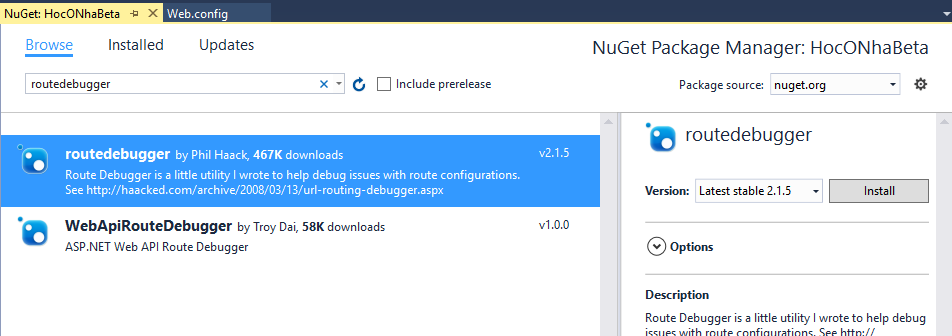
1. Installing the nuget package
First you have to install a package named routedebugger
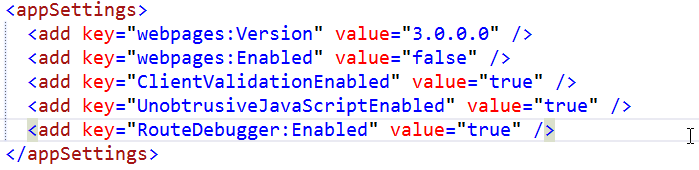
Then add a config line to Web.config
2. Debugging the route
After the 2 steps above, hit Debug, scroll to the very bottom of the website and you’ll see the route analysis table
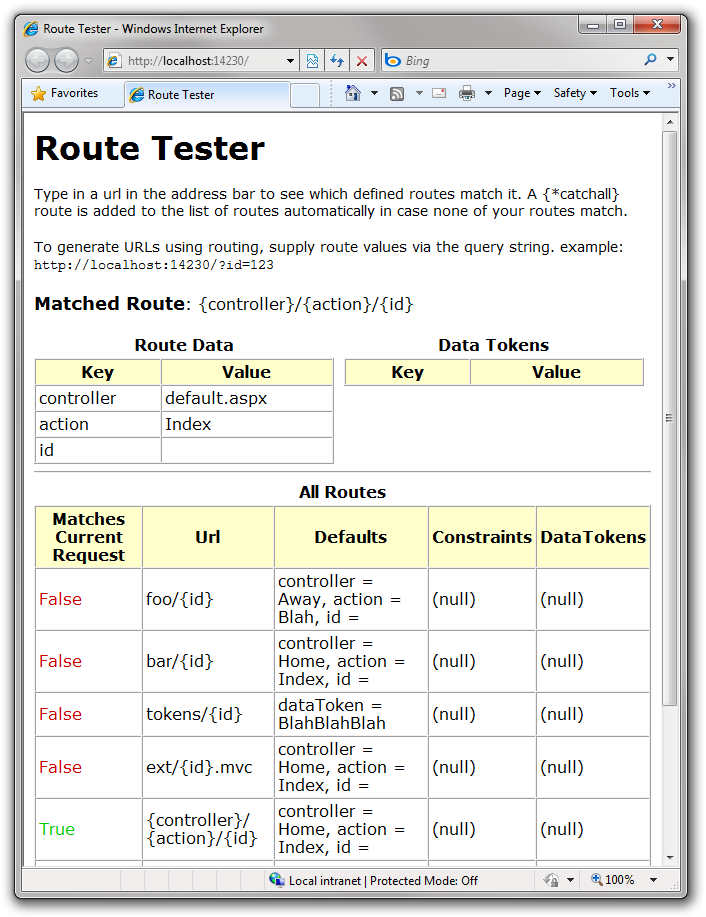
This table shows you which config the route you typed in the address bar got stuck to
And there you go, you can debug it now