[Computer Tips] Remove Skype Ads Quick and Easy
If you use Skype, you’re probably annoyed by those boring, endlessly repeating Skype ads
And here is how to get rid of them.
If you use Skype, you’re probably annoyed by those boring, endlessly repeating Skype ads
And here is how to get rid of them.
MSP Asia-Pacific Newsletter
Vol.2 Dec-Jan 2014-2015
Contents:
1.MAIN TOPIC
Japan, New Zealand, Philippines, Thailand, Vietnam
2.Super MSP
Vishesh Oberoi (New Zealand), Supatporn Posoknistakul(Thailand)
3.Highlights & Upcoming Events
Japan, New Zealand, Philippines, Singapore, Thailand, Vietnam
Hello friends, today I would like to show you the test result of the new Spartan’s engine on IE Technical Preview that came along with Windows 10 build 9926 (with Cortana and stuffs).
The test will be on 3 main browser: IE, Firefox and Chrome
The WordPress.com stats helper monkeys prepared a 2014 annual report for this blog.

Here’s an excerpt:
The concert hall at the Sydney Opera House holds 2,700 people. This blog was viewed about 11,000 times in 2014. If it were a concert at Sydney Opera House, it would take about 4 sold-out performances for that many people to see it.
Hi everyone. In the previous part you learned how to create a Virtual Machine on Azure. In this part I’ll show you how to set it up so you can sign in with your own Microsoft Account, and how to turn it into an FTP server.
Hi everyone — azure is now officially available for registration in Vietnam.
And one very nice Azure service is the virtual machine. You are allowed to create a virtual machine just like a real one, running Windows Server 2012 or 2014, or even create a virtual machine to try out the Windows 10 Technical Preview.
For those who don’t know yet, XAML Styler is a small Visual Studio extension that reformats your xaml UI files to look nice.
XAML Styler was built on top of the Beautiful Xaml extension, and was later published to the Visual Studio Gallery.
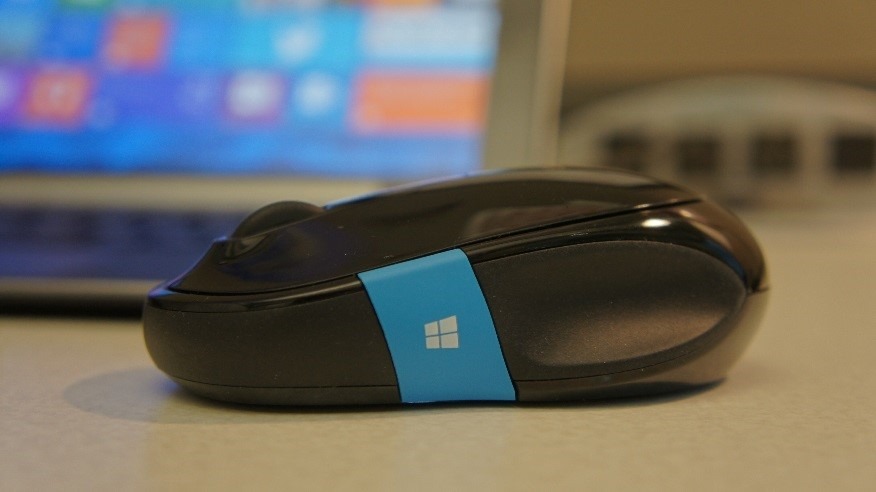
You have an excellent Bluetooth mouse. Heavy, comfort for your hand, BlueTrack Technology, etc. Everything is great, but… the mouse got frozen or lagged sometimes.
How to fix this?
So Windows 8.1 has been out for a while now. For newly written apps the default target is already Windows 8.1. But what about the older apps?
Microsoft gives you a solution which, while not perfect, is very useful. All you have to do is press and click.
When working with Visual Studio 2012, VS2013 and later, especially when designing the UI in XAML, you may well run into an inconvenience: after a while of working fine, you can’t click, edit, or increase/decrease anything in the property window. So you have to edit directly in the code, which is fairly inconvenient and time-consuming.
How do you fix this?